Have you checked out our REPORTING page of NuORDER?
On the reporting page, you will be able to find different “1-click” reports that might suit your findings. You may access the REPORTING page by following these steps below to get started:
-
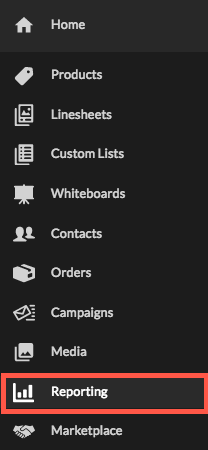
1) On the side menu > click on REPORTING
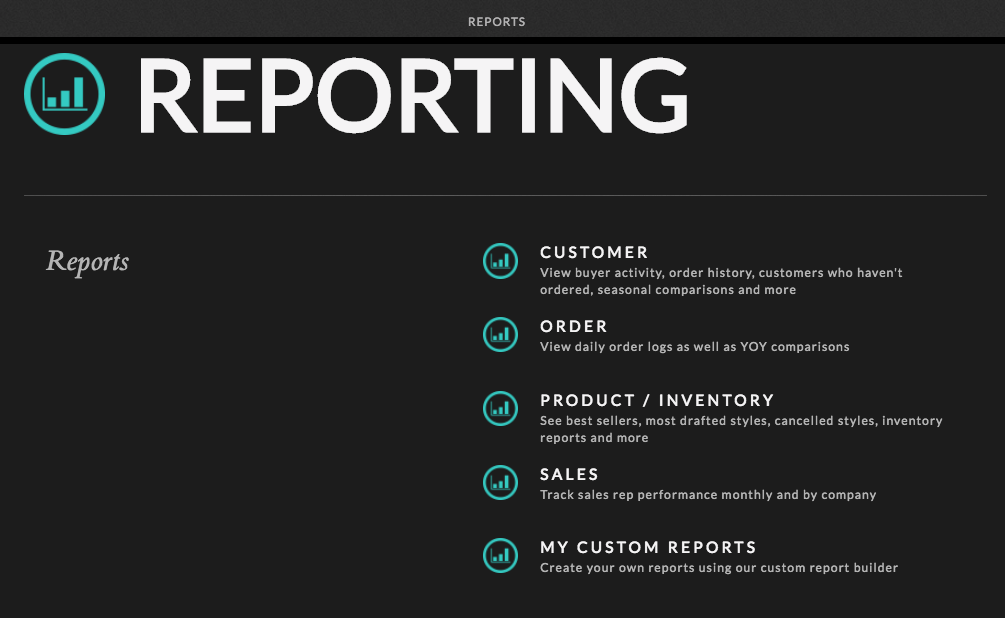
2) Here on the REPORTING page, you will be able to access different “1-click” reports through sections like customer, order, products, and sales
>> Customer: View buyer activity, order history, customers who haven't ordered, seasonal comparisons and more
>> Order: View daily order logs as well as YOY comparisons
>> PRODUCT: See best sellers, most drafted styles, cancelled styles, inventory reports and more
>> Sales: Track sales rep performance monthly and by company
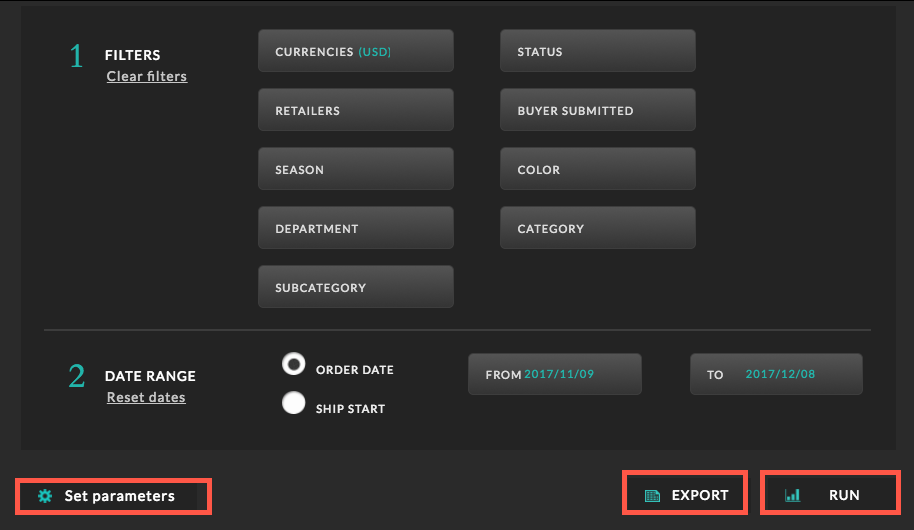
*** PLEASE NOTE: To set your parameters before running or exporting your report. ***
-
Click on EXPORT : If you click on EXPORT, you will be receiving a XLS file in your email shortly. Therefore, you may modify the file in any way you like in excel.
-
Click on RUN : This is essentially like running a preview glimpse of your selected report on the NuORDER page. You will not be able to make any modification in the run format.
Comments
0 comments
Please sign in to leave a comment.