Hashtags can be added in any of the product fields. If you use hashtags to capture your buying strategy for the season, you'll be able to filter and search by hashtags. You can then splice and dice your assortment by hashtag to visualize your buy.
Work with your DMM and PM on developing a set of hashtags to use each season. Once a hashtag has been added to a product field, the hashtag will auto-populate as you type next time!
#mensmodern
#nordstromonline
#alldoors
#trending
Step 1: Add your hashtags in your notes
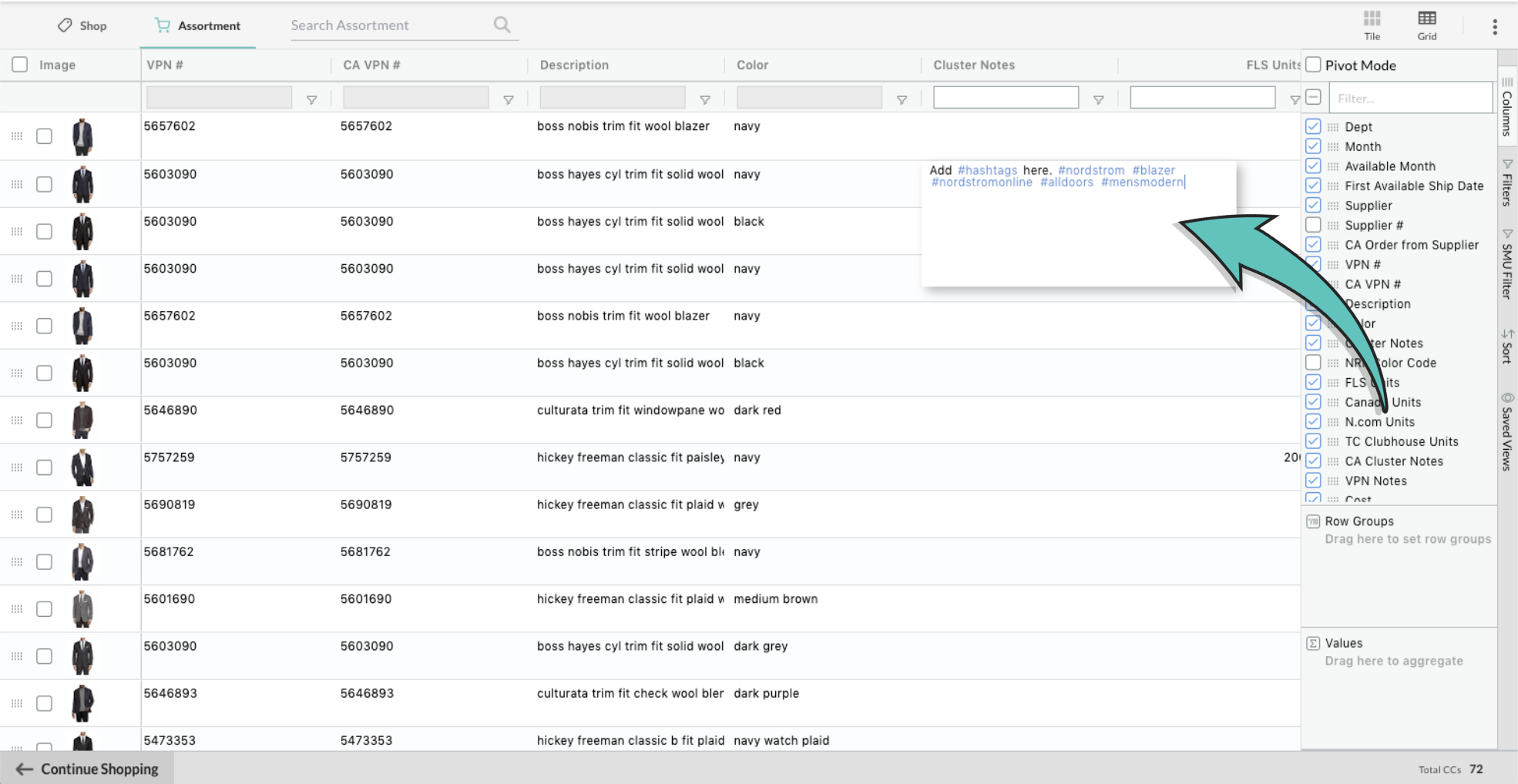
Step 2: Start typing in the hashtag sign, and a list of the hashtags used previously will appear
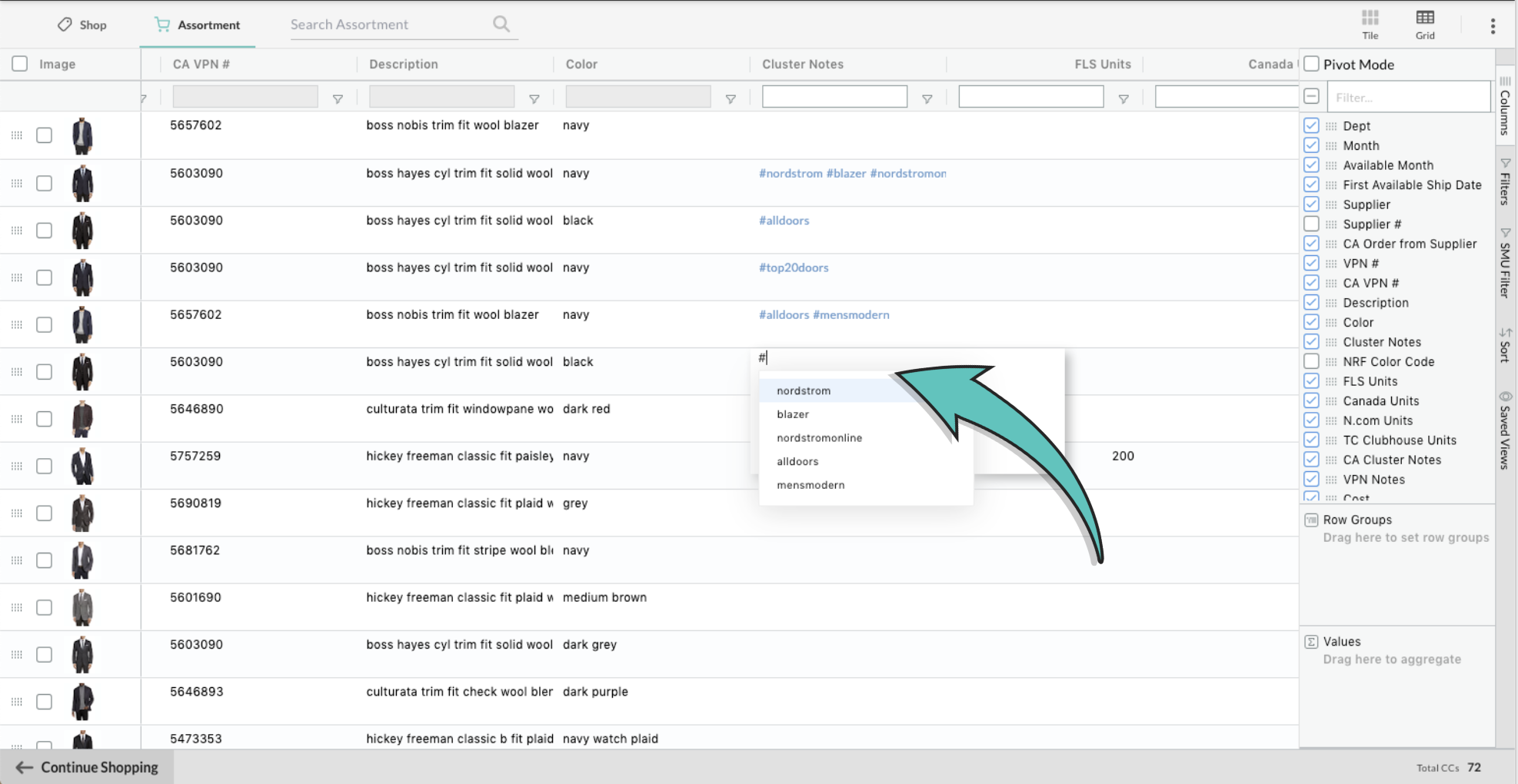
Helpful Tips
- Click on a hashtag link in a note, to filter the entire assortment with items containing that hashtag
- Searching by multiple hashtags will result in items that contain all of the hashtags (results display by 'and' not 'or')
- You can export search results by hashtag by filtering and using the 'Export' button. Learn more about exporting your IIF here.
Please contact nordstrom@nuorder.com with any questions.
Comments
0 comments
Please sign in to leave a comment.