Overview
Nordstrom will be using NuORDER to take notes and create cross brand visual assortments. It's imperative to present your brand in the best light and the NuORDER team is here to support you as needed! Photos of product are highly recommended, however in the scenario that you only have mix of photos and CADS (or CADS only) in time for your first market appointment please supply us the CADS and we will start with this and re-upload / update photos as soon as you are ready.
NuORDER will allow you to store up to four images for each product. A product is defined as each colorway of a style. Below is an example of how images will appear in the product details pane:
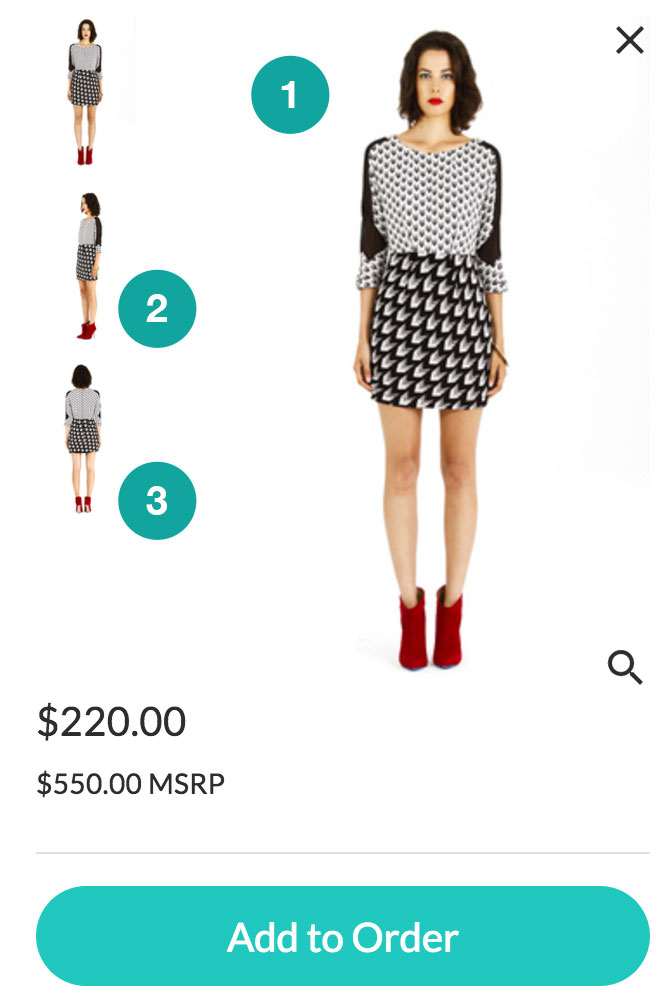
Image Specifications
- Supported image file types include JPG or PNG
- Images must be a minimum of 500 x 500 px (pixels)
- Optimize for web by following our recommended resolution of 72dpi (dots per inch)
- Ideally, images should be compressed to the 100kb - 400kb (kilobytes) size range
- Must save the images in the RGB color space
Image Naming Convention
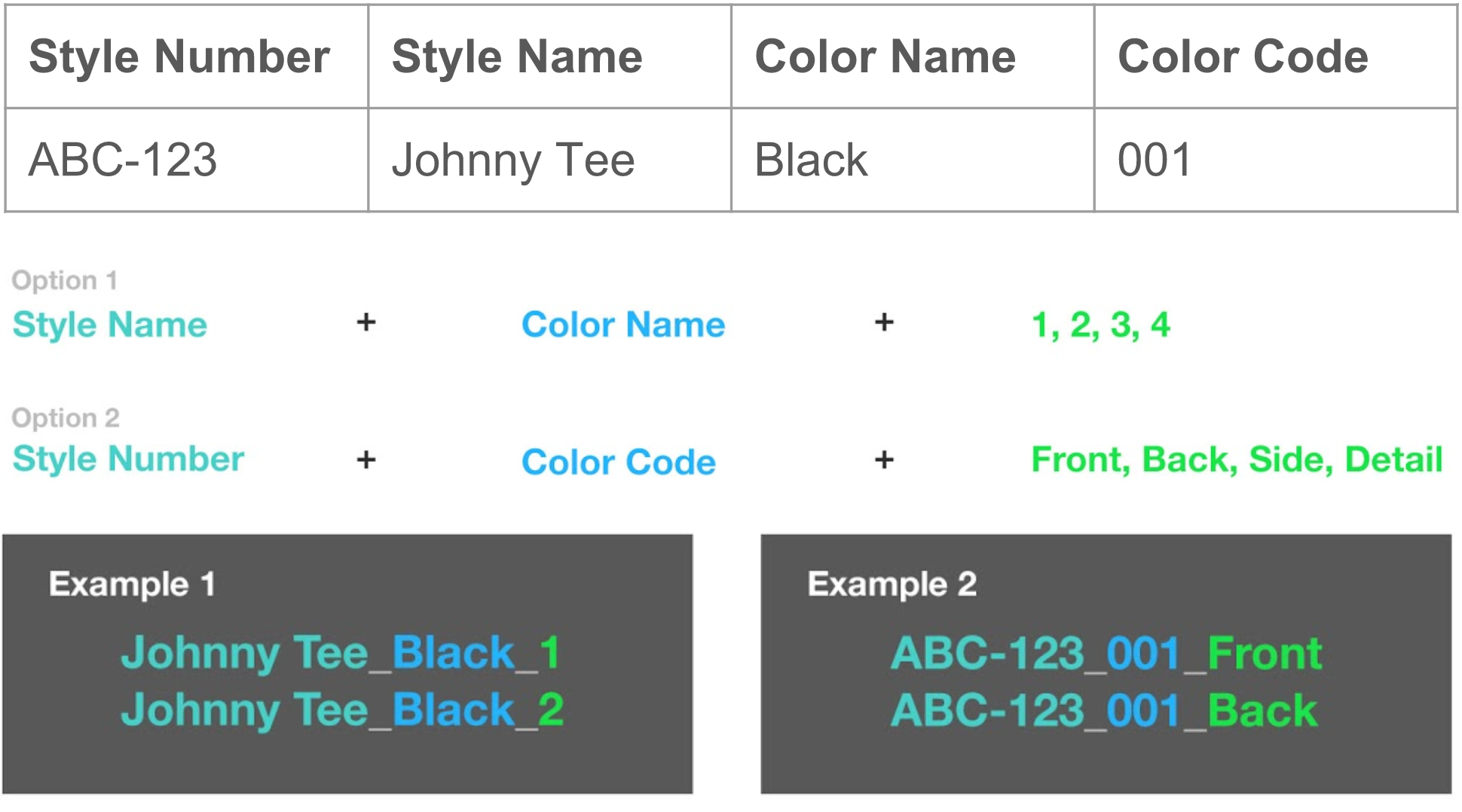
In order for images to successfully link to your products, you’ll want to establish an image naming convention. Each component of the image name correlates to fields in your product data.
We recommend that your image file names include the following three components:
- Style Number & Color - This enables the system to identify which unique product to choose.
- Custom Suffix - This enables the system to identify the image position. For example, the hero position, or positions 2, 3, and 4.
Helpful Tips
- Before getting started on your naming convention, if you'd like our input on what you should name your images, feel free to call: (310) 954-1313 x1049
- The components of the image name must be separated by an underscore or hyphen so our system knows where the style number ends and the color begins
- If you have hyphens within your style numbers or colors, use underscores as your dividers. Vice versa, if the components contain underscores
- The components must be an exact match to what is in the product data. Exact match refers to the spelling and spacing - it is not case sensitive
- If slashes exist in your style name or color, substitute space in the image file name.
- To resize your images in bulk we recommend: Resize Sense (for Mac users), or Fast Stone Resizer (for PC users)
- To rename your images in bulk we suggest: Name Changer (for Mac users)
- Please provide a supporting Linesheet so that our team can assist and ensure your images match to the correct products
Key Concept
Remember, consistency is key! The same image naming rules will apply to all images for all products. Meaning each image should utilize the same reference fields, set of custom suffixes, and component dividers.
If you have additional questions about how to prepare your product images, contact nordstrom@nuorder.com.
Comments
0 comments
Please sign in to leave a comment.